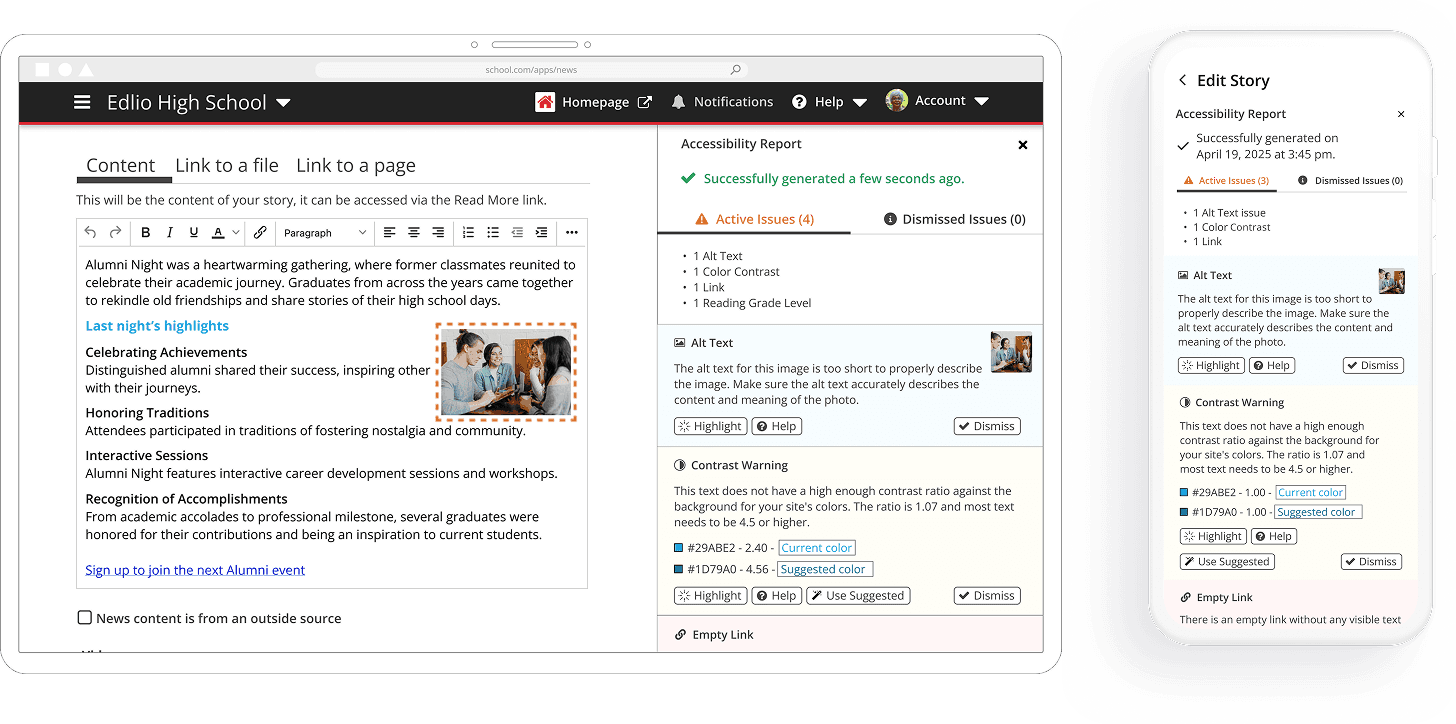
Accessibility Report
An integrated accessibility feature within the website that empowers content creators to create ADA-friendly pages.

Lead Product Designer
0→1 New Feature
1 Product Manager
5 Engineers
1 QA Engineer
3 months
Opportunity
Create a built-in user-friendly tool that guides and educates users on creating ADA-friendly content.
Demonstrate a strong commitment to creating an inclusive digital environment for all.
Design Problem
Accessibility issues are only identified post-publishing using third-party tools
(e.g., WAVE, SiteImprove).
This post-publishing check delays issue detection and resolution.
Non-compliant content may remain live on the website before issues are addressed.
The current process increases the risk of accessibility violations being publicly visible.
30%
Growth in sales value
50%
Included in 50% of new sales
1,200
1,200 issues flagged in the first week across districts
Goals
Empower Users to create accessible content independently.
Reduce reliance on external tools by providing built-in solutions.
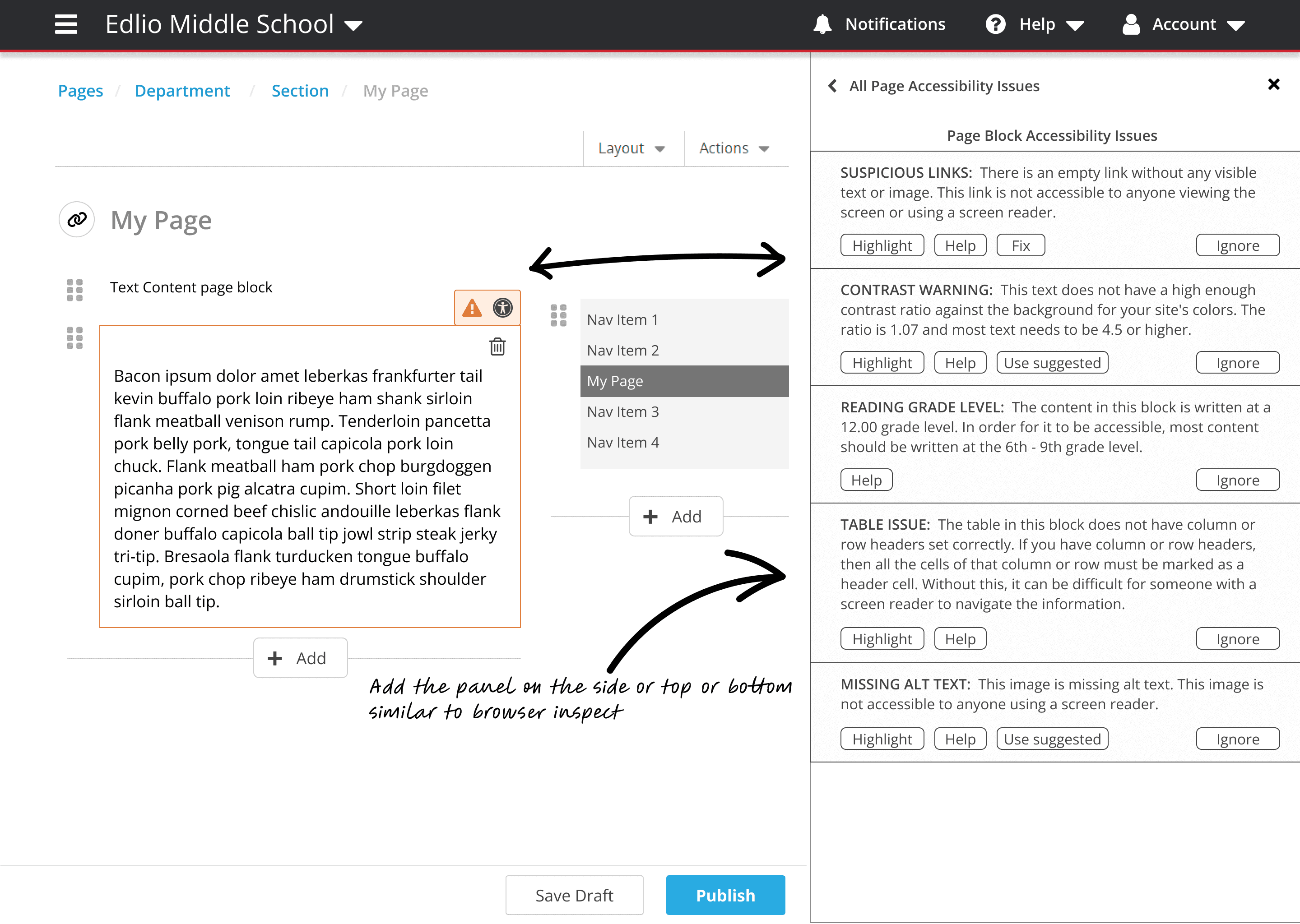
Include an auto-fix option to resolve common accessibility issues (e.g., empty links, headers, color contrasts) with a single click.
Manage and track all content that have accessibility issues.
User Pain Point
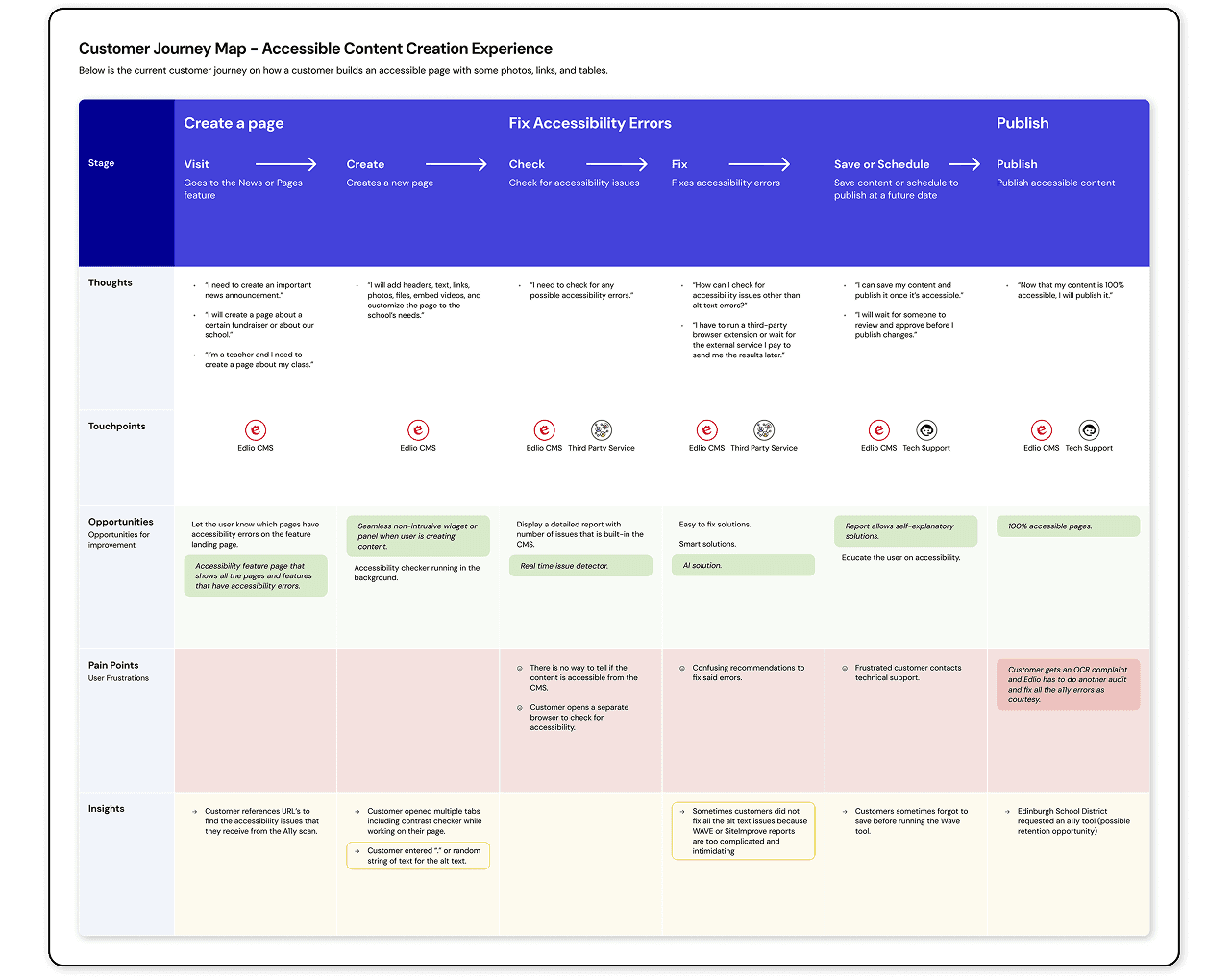
Users relied on third-party tools like Siteimprove and WAVE to check if their websites met accessibility standards. This resulted in a fragmented and frustrating experience where users would have to save or publish their contact multiple times, check for accessibility from a third party, and then fix their accessibility errors.
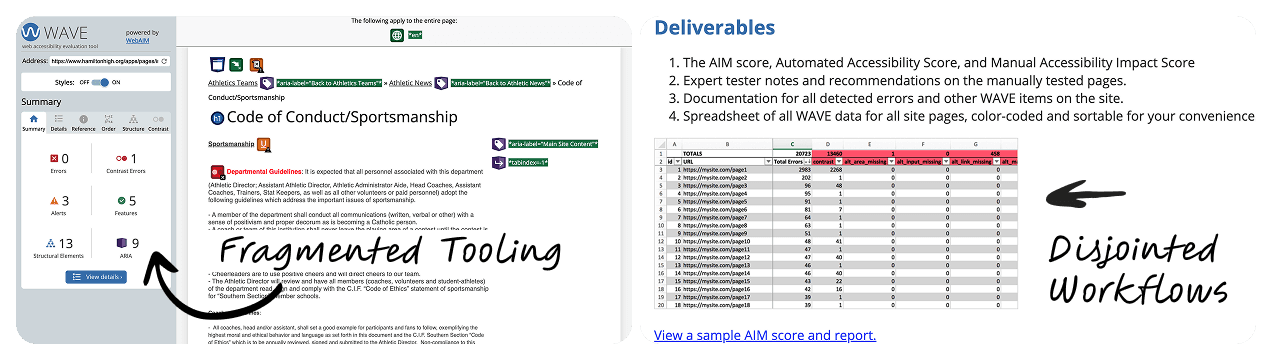
Workflow fragmentation created drop-off points
Accessibility reports are intimidating and unclear
WCAG requirements have a steep learning curve
Retention risk from poor accessibility tools
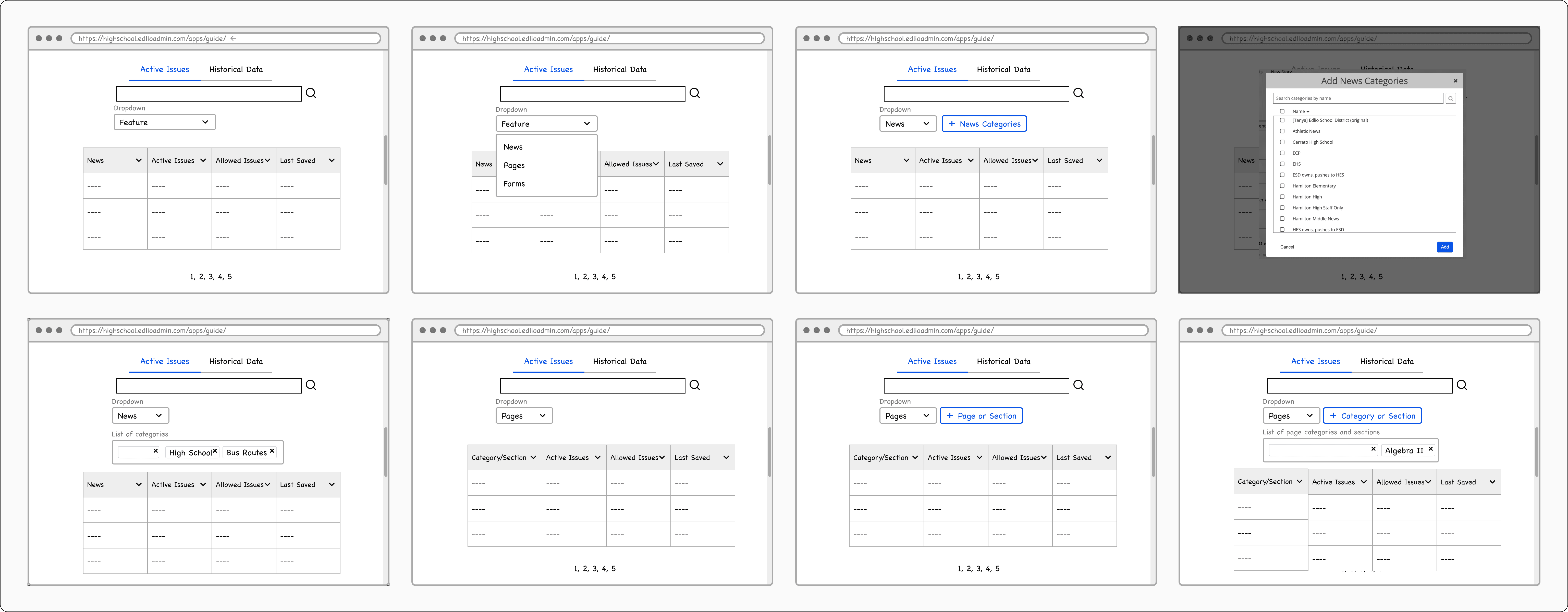
Initial Sketches
User Flow
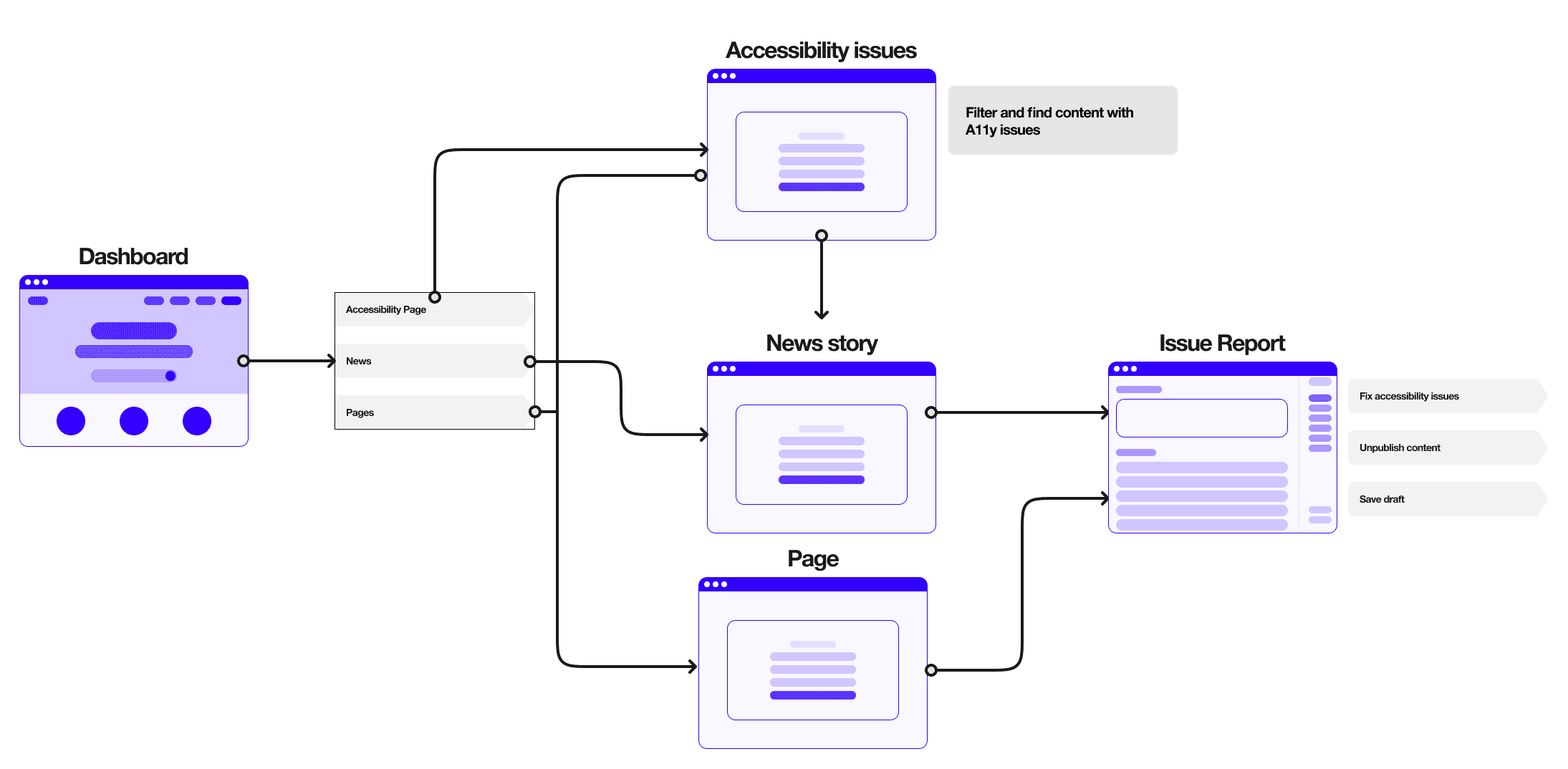
I created user flows to complement the product specifications for navigating to the Accessibility reports. This one outlines how users move through the dashboard to resolve accessibility issues.
Demo Flow
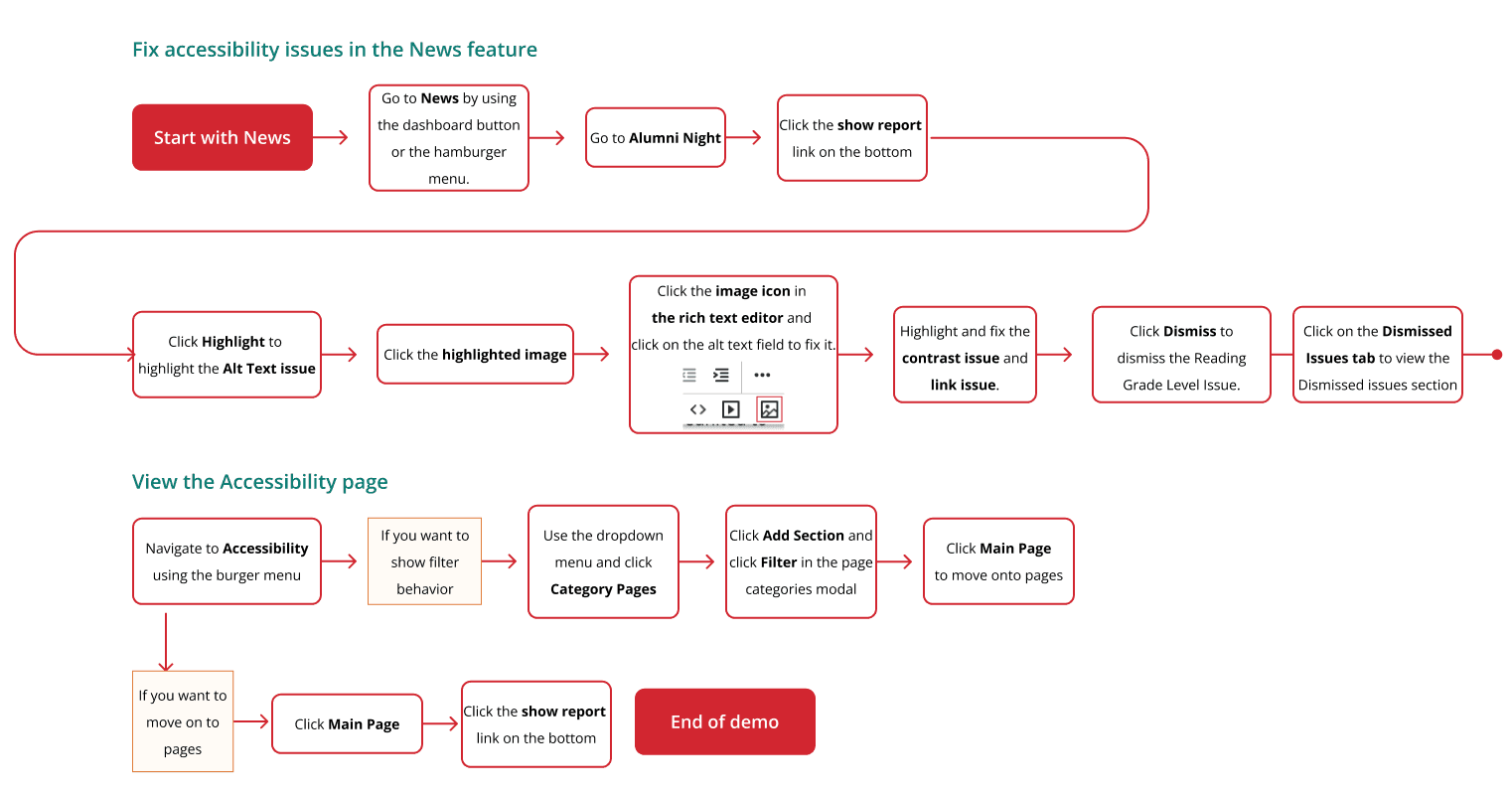
I created a flow to guide the sales team during feature demos, ensuring a smooth and effective presentation.
UI Iterations
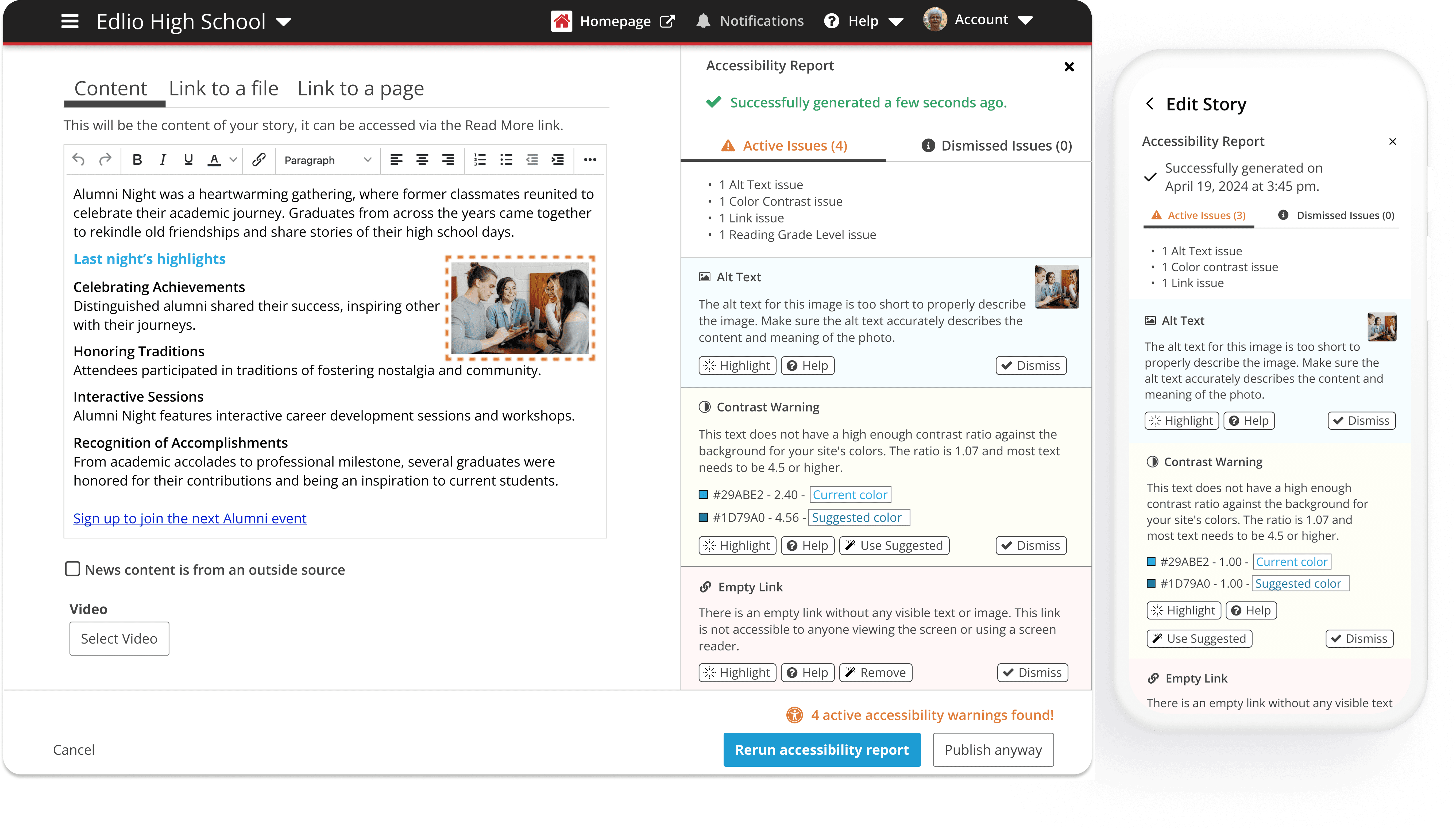
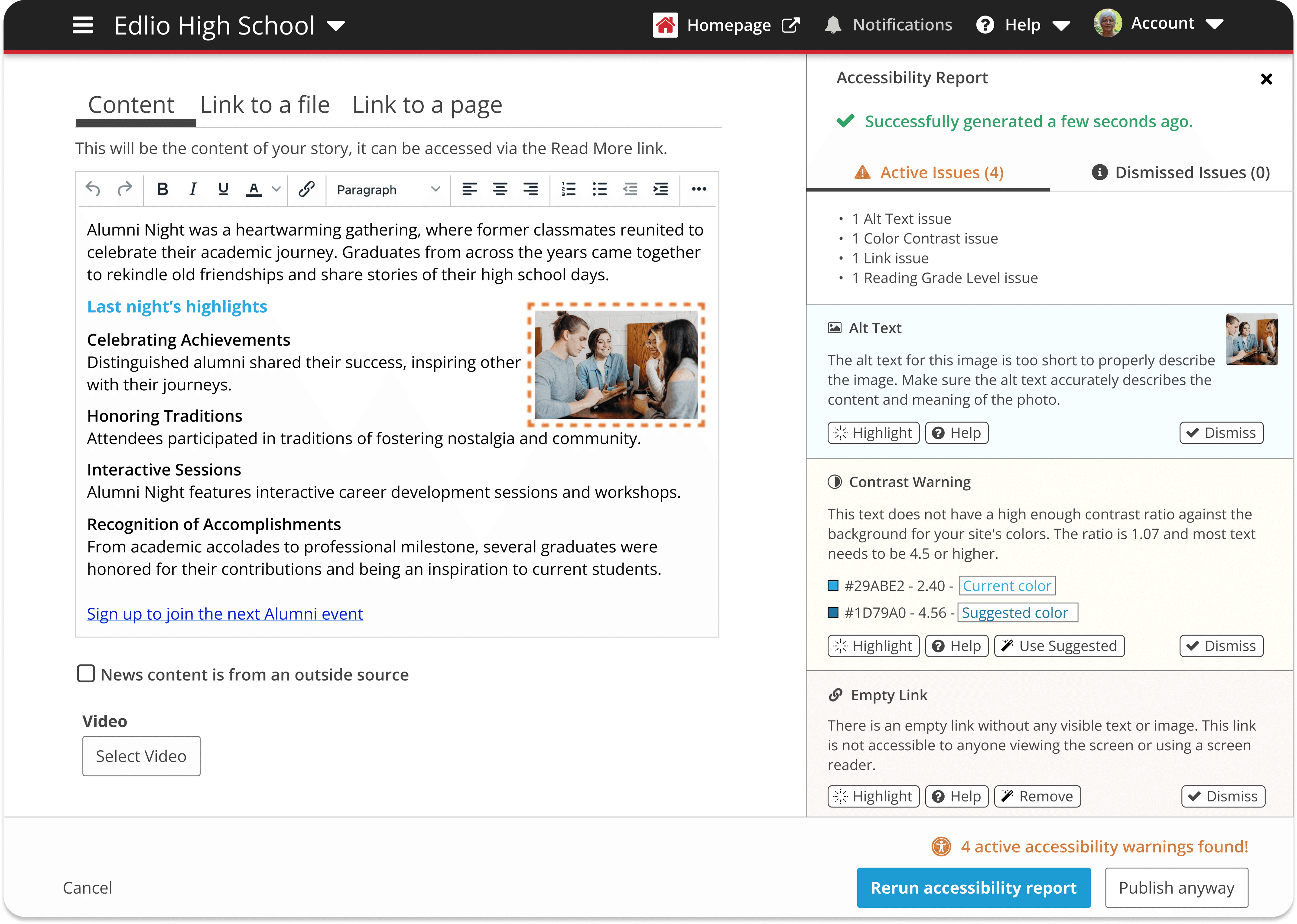
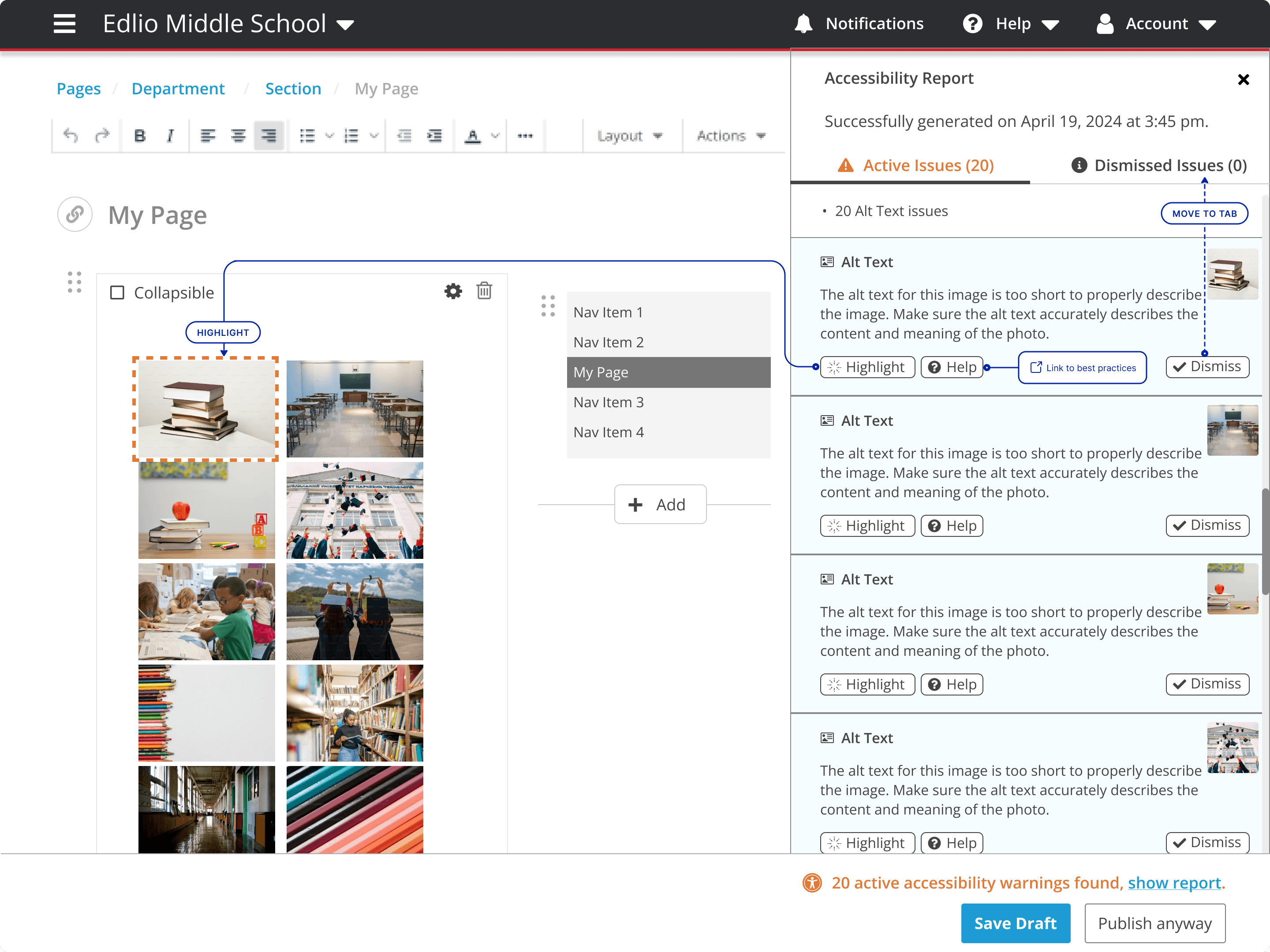
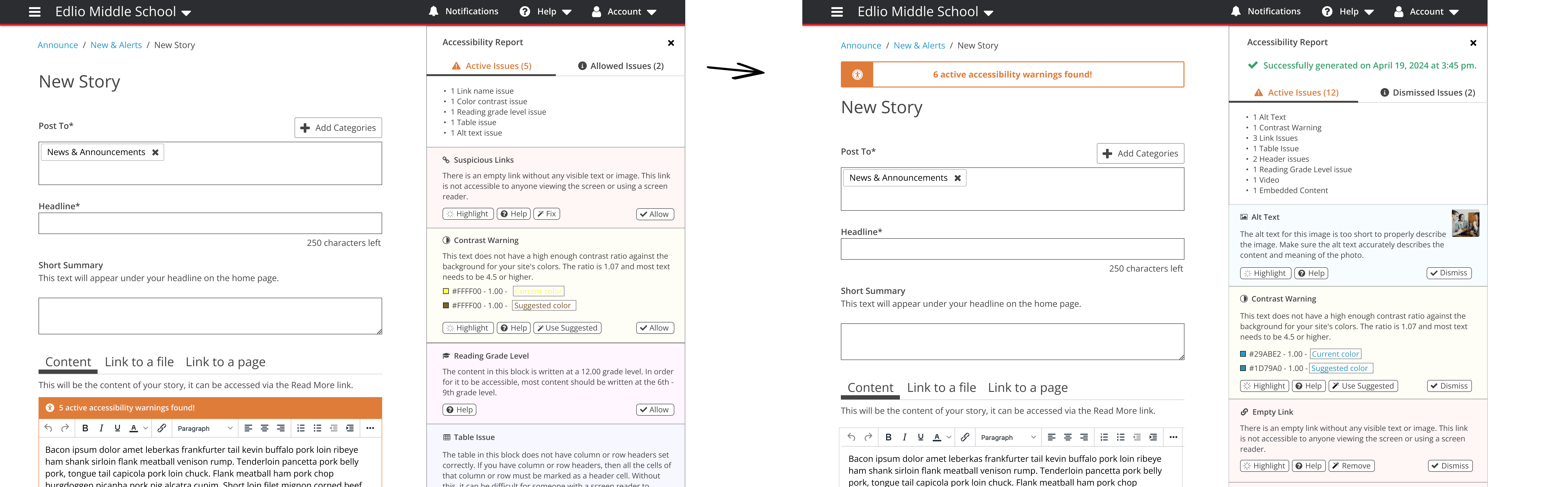
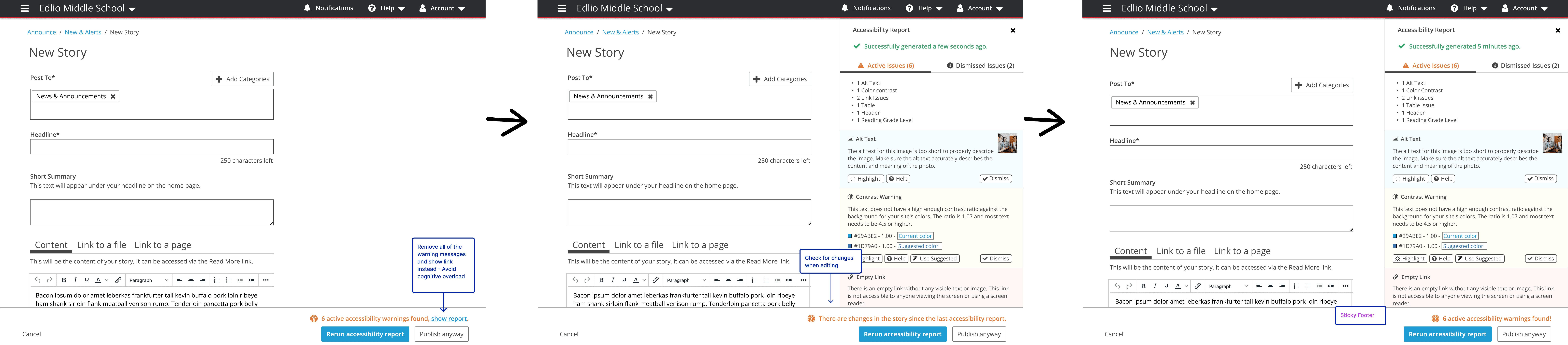
The UI and behavior flow underwent several iterations based on testing and feedback from internal teams and customers.
Here is an example of how the UI evolved throughout the project.
Visual Identity
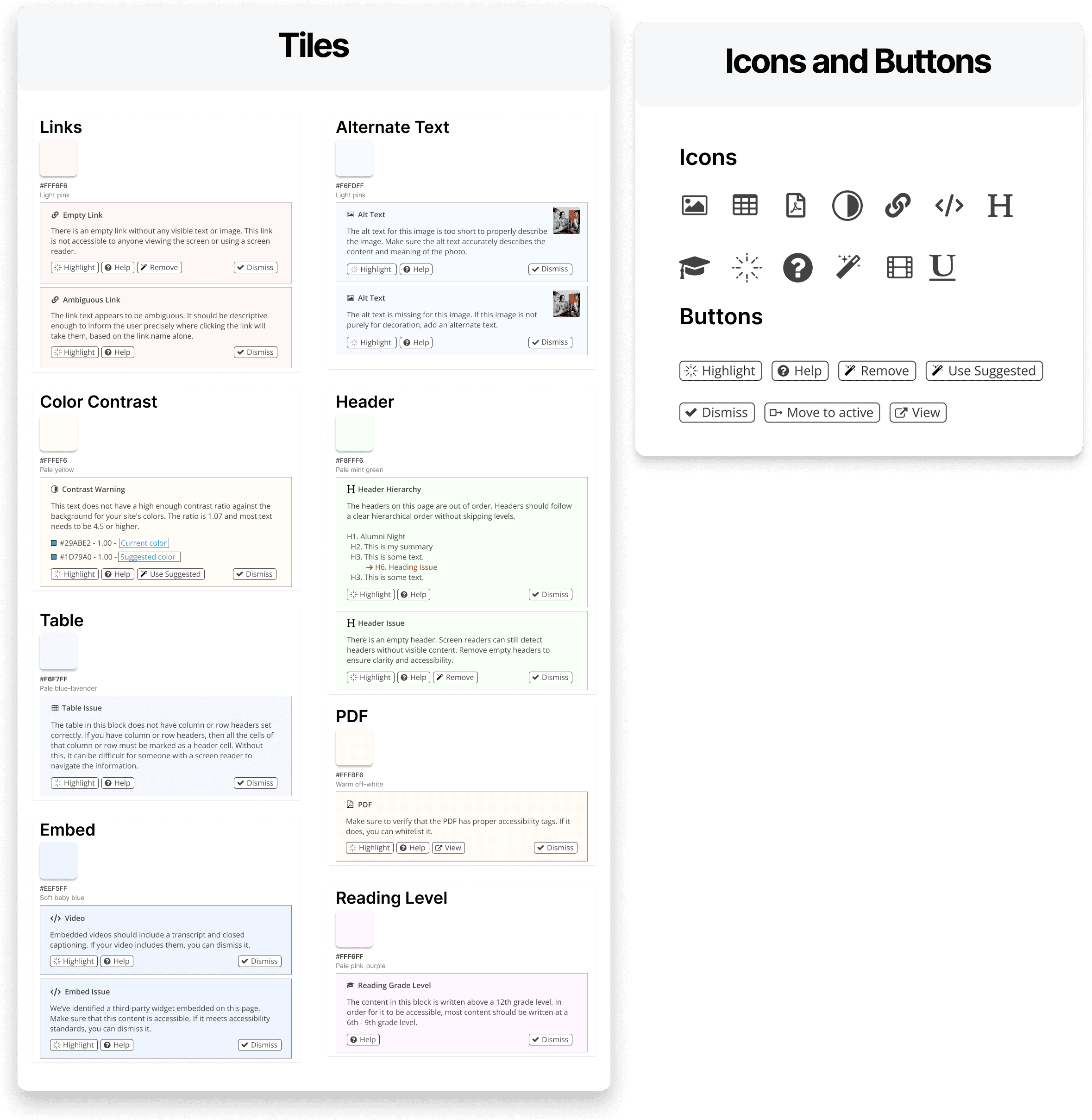
As we designed the new feature, our design system remained simple and adaptable. Once we identified the visual design that matched the tone, we committed to it.
Design System & Documentation
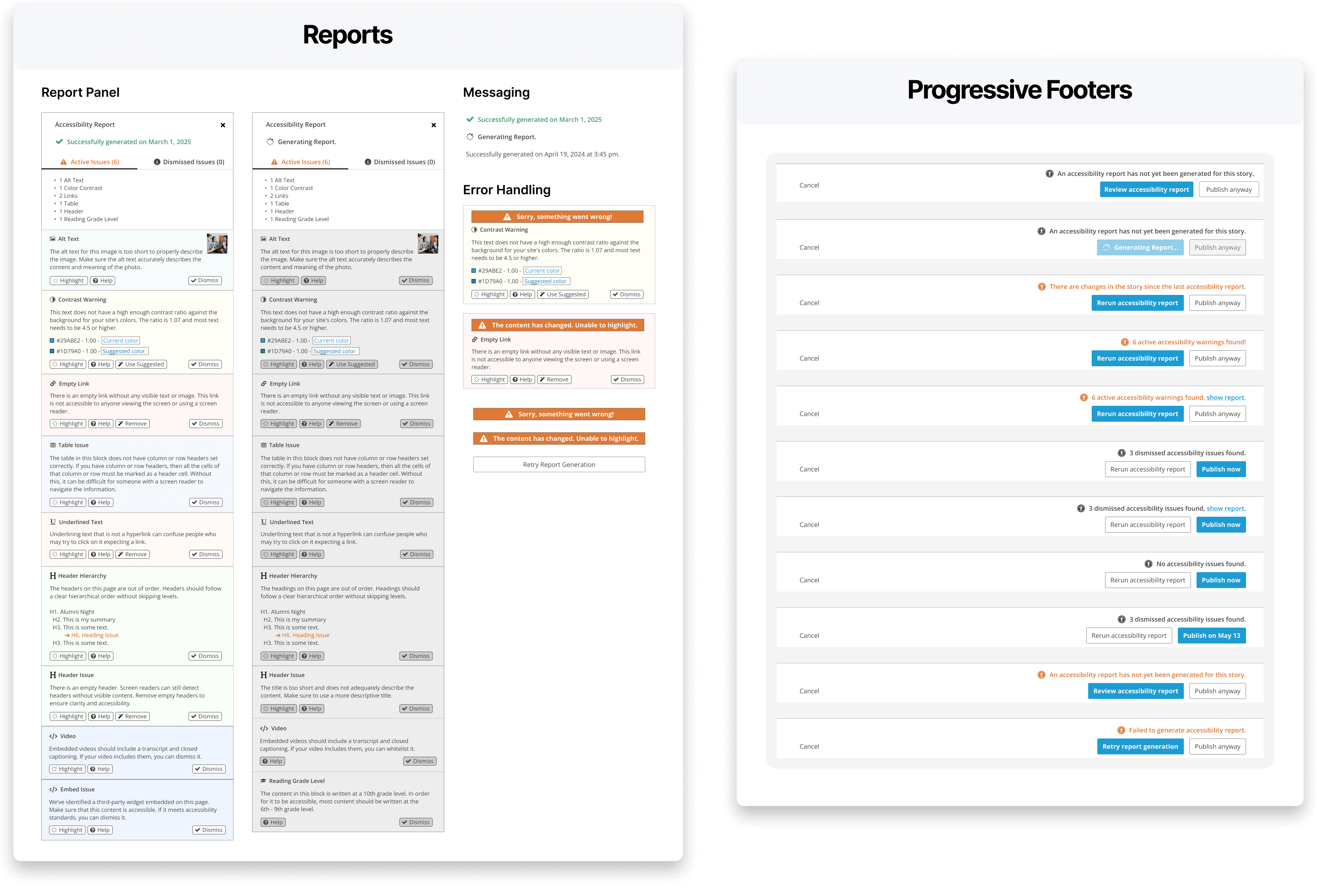
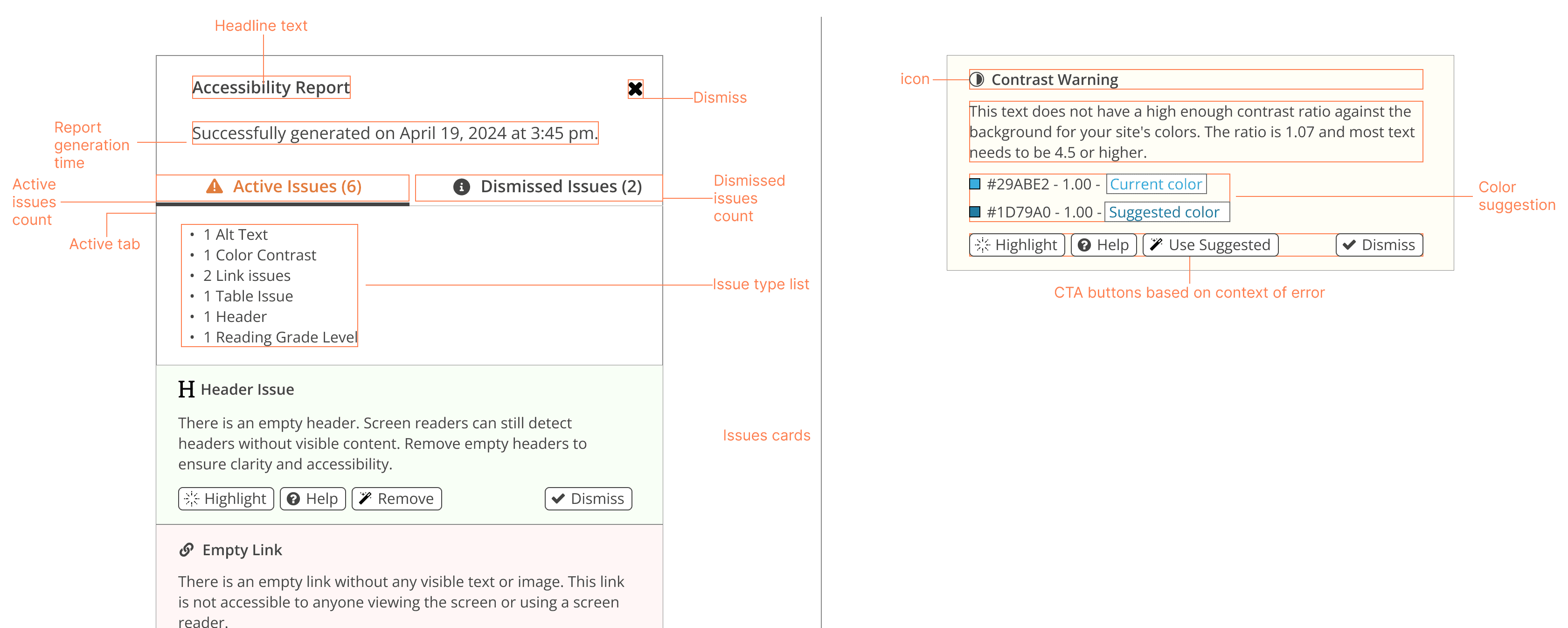
Contributed reusable components, spacing, color, and Figma variants for smooth developer handoff.
Impact
This release positioned us as the only comprehensive, integrated accessibility solution, setting us apart from competitors and boosting market competitiveness.
Biggest release of 2025
Since launch, we introduced an AI-powered tool that resolves all acceessibility issues with a single click. The feature drove 50% of Q1 sales and contributed to a 30% increase in account pricing for existing accounts.